
SKOTIQ 8.1 · GUIDE
Build multi-night masters
Calibration, framing review, integration, drizzle and delivery.
On this page
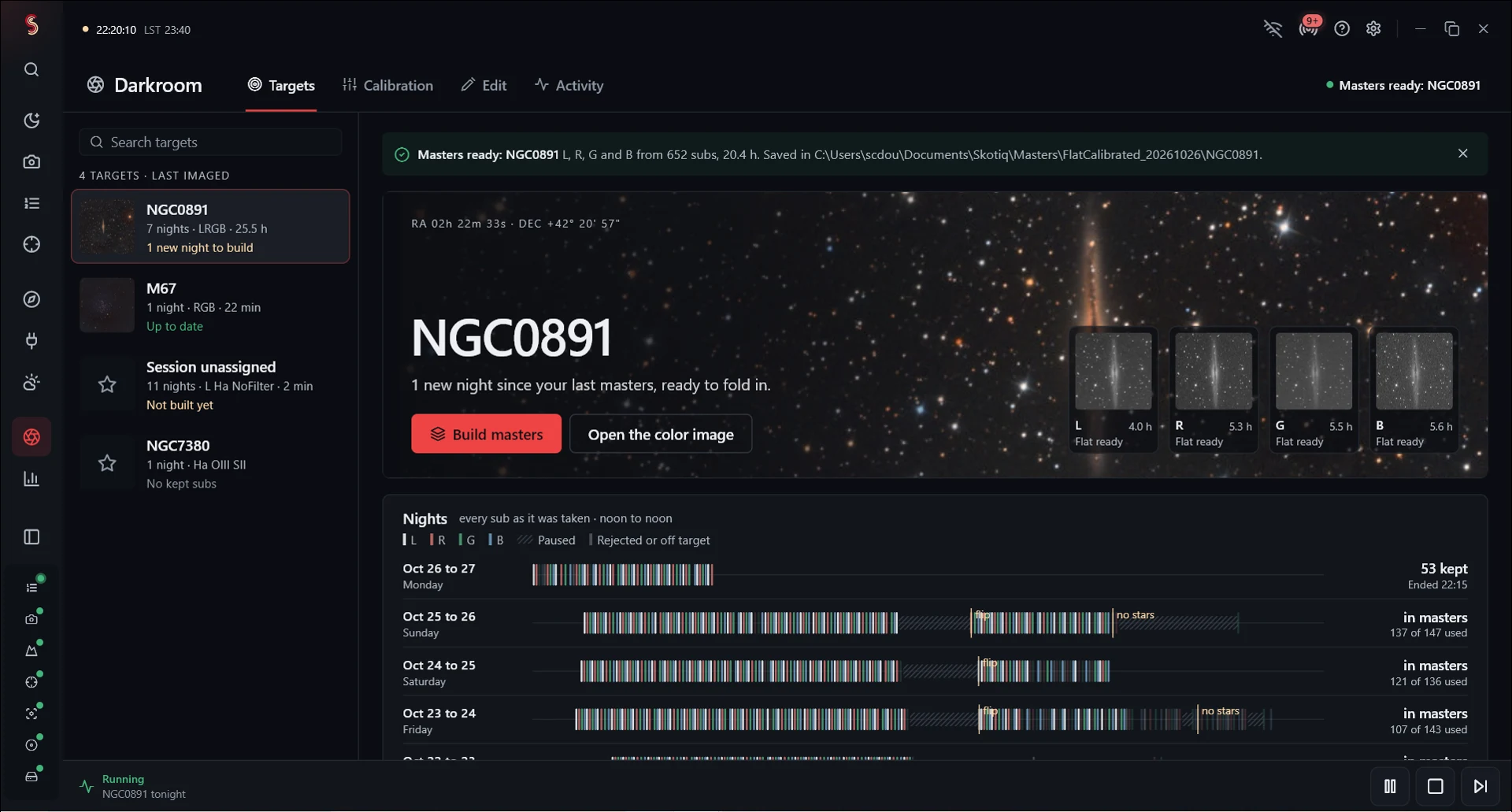
Select a target
Open Darkroom → Build masters on the computer holding the captures. Select the target and observing nights. Nights run from noon to noon so after-midnight images remain with the evening that started the session. Exclude frames you do not want; capture-rejected frames remain excluded.
Prepare calibration
Select Prepare calibration and inspect each group’s bias, dark and flat matches. Groups account for camera, optics, geometry, filter and capture settings. Choose an existing master or build one from raw calibration frames.
Choose flats taken with the same optical setup as your lights. If calibration is missing, add the required frames before building, or review the app’s options for proceeding without them. Calibration guide.
Check framing before integrating
Choose a good alignment reference shared by every filter. Set the minimum per-frame overlap, maximum star eccentricity and minimum common field. Run Check framing to see how the nights align and which frames limit the crop.
Exclude poorly aligned or unsuitable frames and review the shared field again. A wide image with different coverage at the edges can stretch unevenly. The common crop is intended to preserve coverage from every included exposure.
Integration choices
Skotiq works in floating point, applies calibration, registers frames, rejects outliers and combines them with star-signal weights. You can select drizzle and normalization options. See drizzle and export before choosing a higher scale.
Build to an output folder with enough working space. The job runs in the background and shows per-filter progress. Check the result for each filter when the build finishes.
Review the masters
Inspect the linear L, R, G, B and narrowband masters you requested, their included exposure counts and calibration provenance. The output includes report.json and frame-audit.csv to explain the crop and frame decisions.
Linear RGB/LRGB masters may need background extraction, color calibration and stretching. The preview applies a display stretch without changing the saved linear data.
Automatic morning builds
Enable auto-integration and configure delivery in Darkroom’s night-end settings. The runner waits for the night’s calibration before building. Review selected flats, missing-calibration policy, framing thresholds and output destinations beforehand.
A build may pause for framing review or missing calibration. Check the morning message for completed filters and any errors.
Resume an interrupted build
Use Resume this build or Resume saved build, selecting the existing build folder. Completed, unchanged filters can be reused; the interrupted filter is rebuilt. Source or setting changes can require reprocessing. Preserve the build folder and reports while investigating a failure.